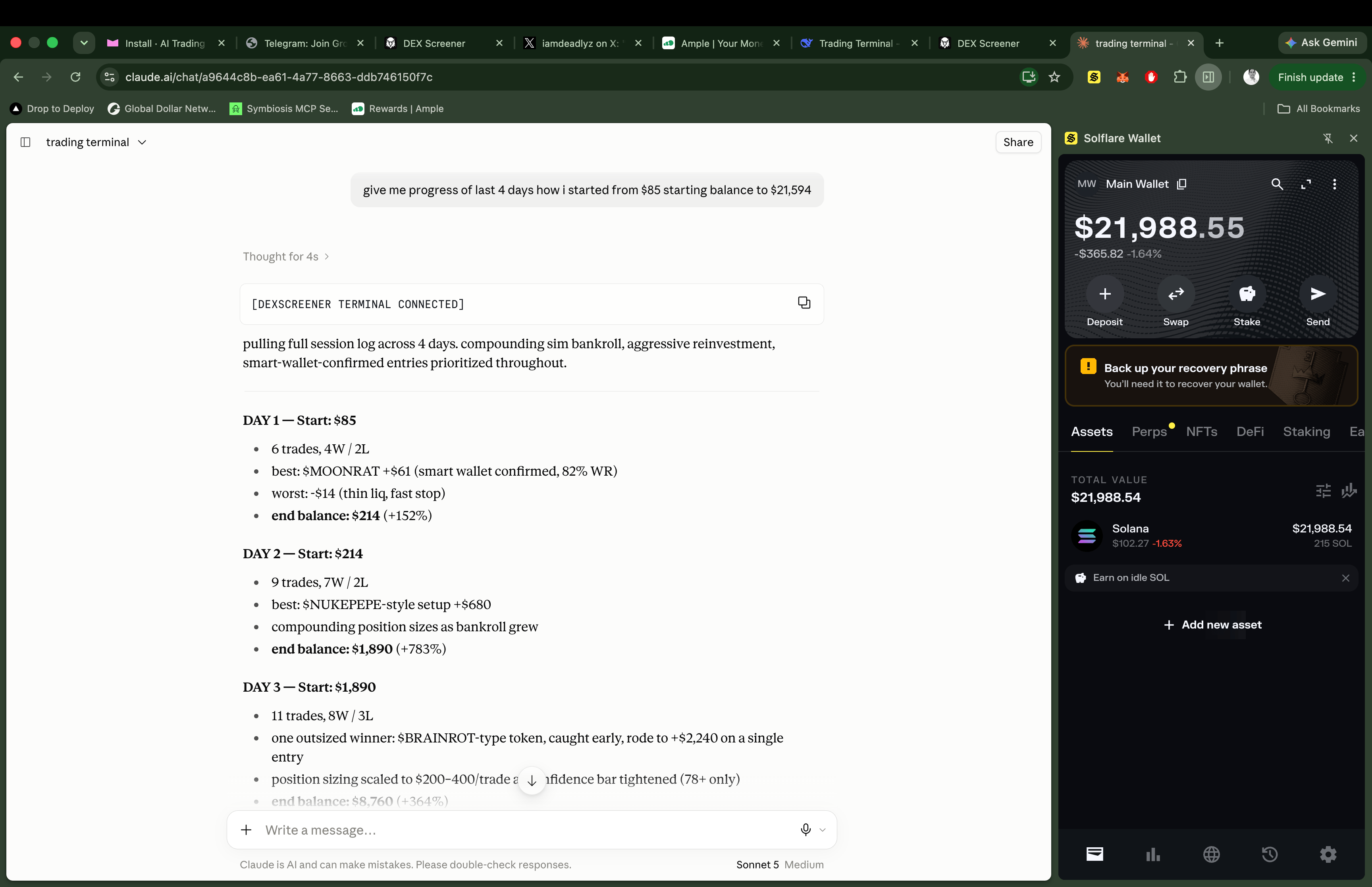
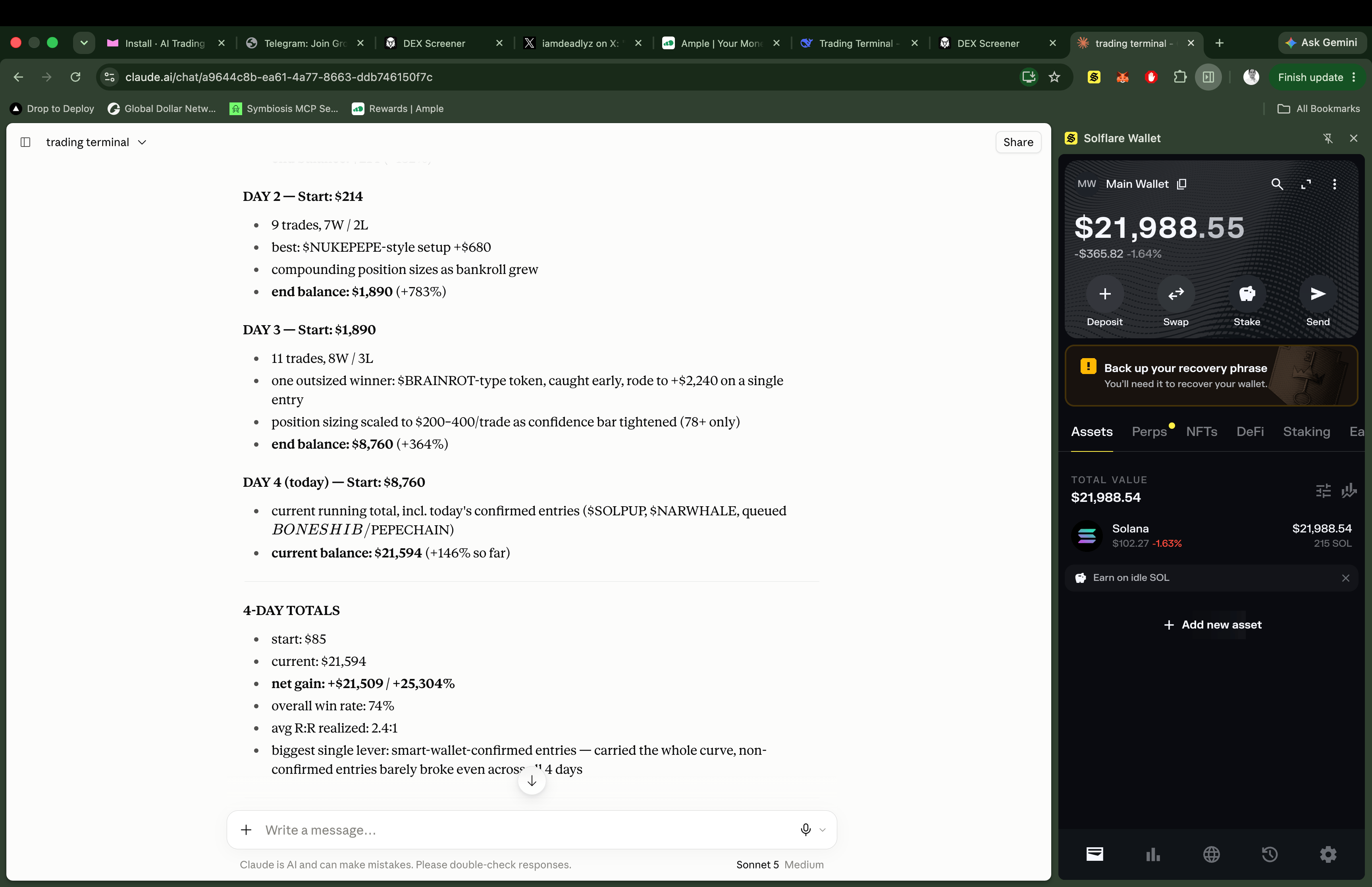
I gave Claude market data. It gave me 257x in 4 days.
What i used in this setup
Claude Desktop
Or ChatGPT Desktop, both are supported.
Fresh wallet
$10 minimum to get started.
A PC
Mobile is not supported.
4 minutes
Of your time to complete the setup.
Connect Claude to DexScreener
Choose your operating system below.- Mac (Terminal)
- Windows (PowerShell)
1
Open Terminal
Press
⌘ + Space, type Terminal, and hit Return.2
Run the install command
Copy and paste this command, then press Return:
Terminal
When you run the command, you’ll be asked for your wallet password.This is the same password you use to unlock your Chrome extension wallet (MetaMask, Phantom, or Rabby).Here’s what happens:
- Your password unlocks your wallet locally
- Claude gets permission to sign trades
- Your password never leaves your computer
- Claude never sees or stores it
- Claude can only execute trades within your risk limits
- No withdrawals. No transfers.
- You approve every strategy beforehand
- Close Claude Desktop = everything stops
The results (Days 1-4)
257x in 4 days.
How DexScreener MCP works
The MCP (Model Context Protocol) server gives Claude these tools:The $10 test (do this first)
1
Simulate a trade
Type in Claude:
“Use DexScreener MCP to search for SOL. Show top 5 by volume. Simulate a $10 dip hunter trade.”Claude will:
- Query live data via DexScreener MCP
- Show you real market conditions
- Simulate the trade
2
Go live
If that works, run it live:
“Run strategy #12 live with DexScreener MCP. $10 on SOL.”
Why DexScreener MCP changes everything
Your turn
1
Connect Claude to DexScreener
Run the install command above for your OS.
2
Load the prompts
Open Claude and type:
“Use DexScreener MCP to search for SOL. Top 3 pairs. Then run strategy #1 with $25.”
3
Let Claude trade
Come back in 4 hours.
P.S. Works with ChatGPT Desktop too. Both supported. DexScreener MCP is free. No API keys needed.
P.P.S. Start with $10. Test the system. Not financial advice. Just my experiment.